
The Trackpad Generation
Design shifts sneak up on you. The tools, how we navigate apps, even computer interaction — it changes generation to generation. Lately, one small bit of hardware is vanishing from designer desks. It is funny how that happens.
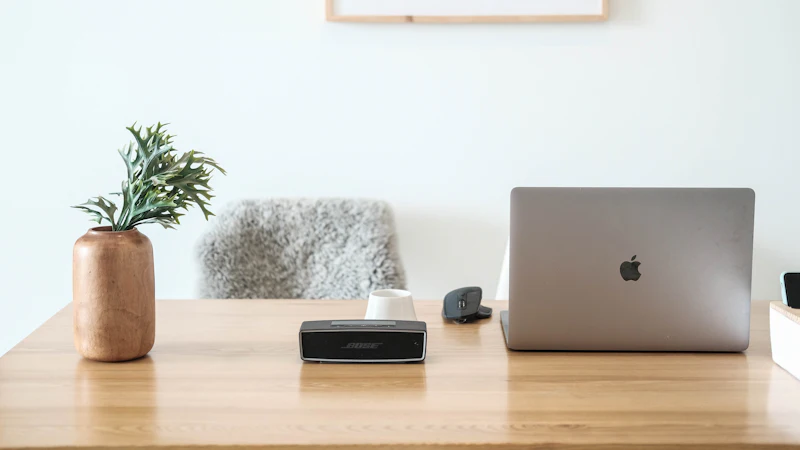
Design shifts sneak up on you. The tools, how we navigate apps, even the way we interact with a computer — it changes generation to generation, and the change is usually already finished before anyone names it.
Lately, one small piece of hardware is vanishing from designer desks. It is funny how that happens.
We are talking, of course, about the mouse.
The slow disappearance of the mouse
Consider what actually happened over the last fifteen years. The mouse was not banned. It was not replaced by a better competitor that won on features. It simply became unnecessary for a growing share of the work, and then it became slightly embarrassing.
What replaced it was a gesture, a scroll, a pinch — the kind of input that only makes sense on a surface you can also move your hand across in two dimensions.
And the interesting part is not that the mouse lost. It is that the gesture won precisely because it was less precise. A trackpad gesture is fuzzier than a cursor. You cannot drop a 4-pixel rectangle onto a specific pixel of a grid with a trackpad. But you can flick, spread, pinch and swipe, and those gestures are how you navigate a large surface quickly.
The tool that won was not the one that let you do the old thing better. It was the one that made a different thing possible.
Precision was never the bottleneck
We built a discipline around precision because the tools of the era demanded it. Draw a curve, and the curve had to be accurate because a mouse could only do one thing and it did that thing in a narrow way. So we developed exquisite control over a single point and called it craft.
Then the surface became a canvas with room for interpretation. Gestures do not have a target pixel. They have a direction and a magnitude.
The parallel is not hard to see in the broader history of tools. The command line was faster than the graphical interface, and it lost, not because it was worse but because it asked for too much precision from the person using it. When the barrier to precision rises — when a system can infer intent from a rough gesture — the interaction gets better for almost everyone and only slightly worse for the expert.
That is a good trade. It is also the trade most design teams make badly, because the expert is usually sitting next to them.
The measurement problem
There is a practical consequence of this, and it shows up every time we run a usability session.
When we watch a designer using a trackpad, they move their hand in large, continuous arcs. When we watch one using a mouse, they make small, precise, repetitive movements. These look like the same task. They are not the same task, and they produce different artefacts.
Gestural input produces exploratory artefacts — fast, rough, plentiful. Cursor input produces precise artefacts — slow, considered, singular. Most designers today do both, in that order, and throw away the first kind. The exploration is the point of the exploration, and the value of it depends entirely on how cheap it was to produce.
This is why a team that has removed the mouse tends to produce more concepts and fewer perfect ones. Both of those outcomes are useful, in different ways. It is worth knowing which one you are optimising for.
The design tools followed the hardware
Look at how the major design tools have changed their defaults in response.
Zoom has become a default verb in most interfaces rather than a menu command. Pan is a gesture. Multi-select is a gesture. Frame fitting is a gesture. Duplicating a layer is a gesture.
Each of these used to require a modifier key and a deliberate action. Each is now a flick.
The interesting engineering detail is what happened to the precision that was removed. It was not simply discarded — it was re-allocated. Interfaces that used to require pixel-accurate targeting now offer smart guides, snapping, constraints and inferred alignment. The precision that the tool stopped demanding from the person, the tool took back.
That is the pattern. When an interaction becomes easier, the work moves from the user's precision to the system's intelligence.
What this means for how we design
Three things we take from this.
Design for the gesture, not the click. If your primary conversion action is a small target that requires accurate pointing, you have designed for the cursor and penalised everyone using a trackpad or a touchscreen. Minimum comfortable target sizes matter more now, not less.
Be suspicious of precision as a quality signal. When a stakeholder says a design "looks more professional" and you cannot identify what is different, check whether they are reacting to alignment, spacing and restraint, or to the number of near-misses that no longer happen. Usually it is the first.
Treat exploration as a deliverable. If your process demands a polished artefact at every step, you have priced out the cheap exploratory pass that the new tools make possible. A rough artefact that gets thrown away at 2pm is a feature of the workflow, not a failure of discipline.
The tools that disappear
The best tools have a habit of vanishing into the work.
The mouse is the clearest recent example. Before the trackpad, nothing about pointing a device at a screen was intuitive. Now, touching a screen feels obvious in a way that feels almost accidental — we learned it without instruction.
That is what a mature tool looks like. It does not demonstrate its power. It does not need a tutorial. The best interface decisions in any product have the same property: the person using it cannot say exactly how it works, only that it is easy.
Which is, if you think about it, the entire argument for design systems, for design tokens, and for writing decision rules down so that nobody has to think about the same problem twice. The goal is not to make the design impressive. It is to make it unremarkable.
We spend a lot of our time on exactly this kind of thing — the layer where a product stops asking people to be precise and starts doing the precision for them. It is what UI/UX design is for, and if you want to see how it applies to your own product, get in touch.
Keep reading
Related articles

A Local Web Studio Worth Knowing: Kansas City Web Design Pros
We get asked who does good work for small businesses in the Kansas City metro. Kansas City Web Design Pros is one of the few studios publishing…

Accessibility Is Not Optional: WCAG for Marketing Sites
Accessibility is a legal requirement in most markets and a commercial one everywhere else. A practical guide to the WCAG criteria that actually…

Sales Is Continuous Customer Development
Sales is not just about landing new clients. After nine years at League Design Agency and with 650+ clients, I have learned that continuous customer…
Next step
Have a problem like this one?
Tell us about it. We will tell you honestly whether design is the right lever.